
Game Status
Game Status allows you to monitor supported game servers and automatically broadcast server information to your Discord server at a specified interval.
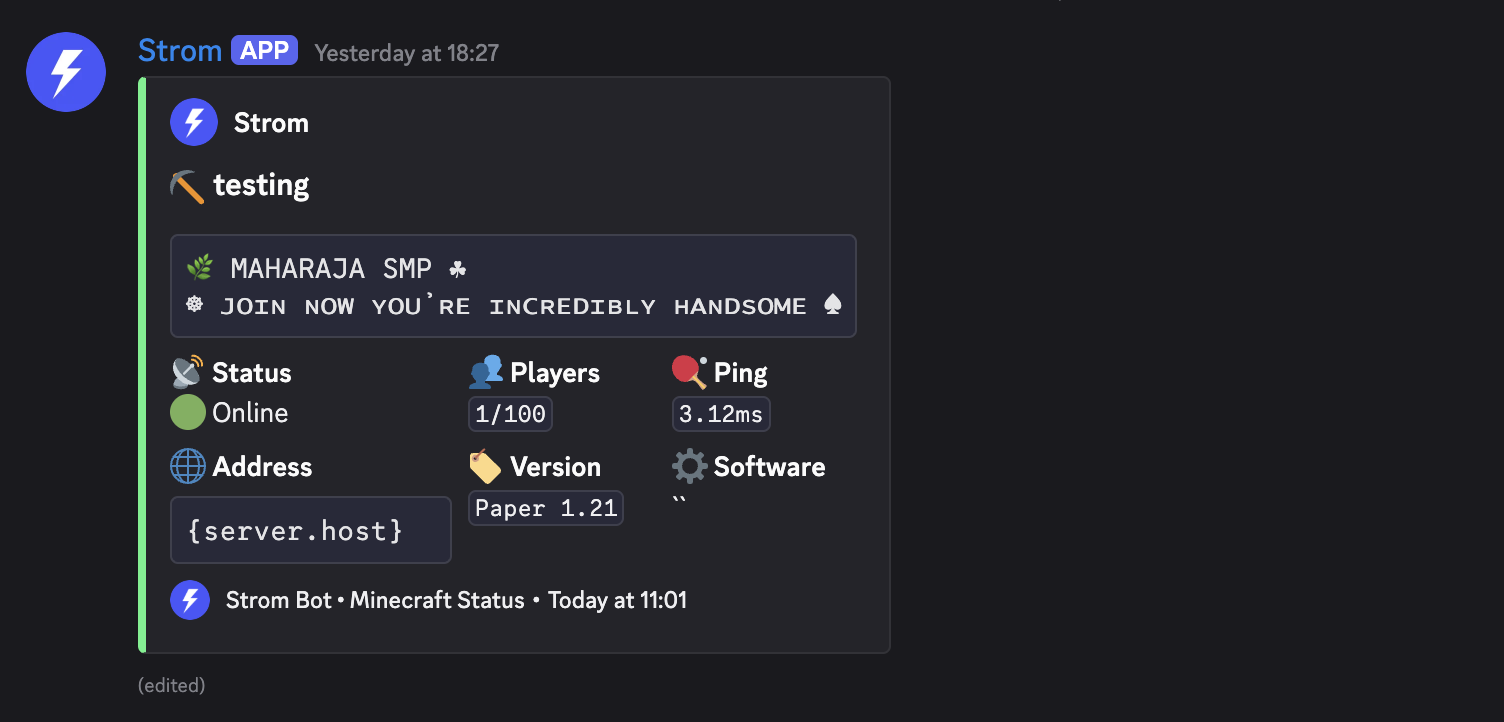
Strom regularly checks your game server and sends live status updates, including server availability, player counts, server name, and other game-specific information.
Features
- Automatic status monitoring
- Configurable update intervals
- Rich Discord embeds
- Online and offline server detection
- Player count tracking
- Server information display
- Easy dashboard management
Currently Supported Games
| Game | Supported |
|---|---|
| Minecraft | ✅ |
| FiveM | ✅ |
| CSGO2 | 🕑 |
| Rust | 🕑 |
| Valheim | 🕑 |
More game integrations will be added in future updates.
Requirements
Before creating a Game Status monitor:
You must have the Manage Server permission.
Strom must have permission to:
- View Channels
- Send Messages
- Embed Links
Create a Game Status Monitor
- Open the Strom Dashboard.
- Navigate to Game Status.
- Click Create Monitor.
- Select a supported game.
- Enter the server address.
- Select the notification channel.
- Configure the update interval.
- Save the monitor.
Once configured, Strom will automatically check the server and send status updates.
Available Information
Depending on the game, Strom may display:
| Information | Description |
|---|---|
| Server Status | Online or offline state |
| Server Name | Current server hostname |
| Players Online | Current online player count |
| Maximum Players | Server capacity |
| Server Address | Connected server address |
| Ping | Response latency |
| Game Version | Running server version |
| Map Information | Current map or world |
Example Notification
🎮 Minecraft Server Status

Status: Online
Players: 12/100
Version: 1.21.5
Ping: 24ms

play.example.net
Manage Monitors
You can manage existing monitors from the dashboard.
Available actions:
- Edit server details
- Change update interval
- Change notification channel
- Enable or disable monitoring
- Remove monitors
- View monitor status
Troubleshooting
Server shows offline
Verify that:
- The server address is correct.
- The server is publicly accessible.
- Firewall settings allow connections.
- The selected game type matches the server.
Updates are not being sent
Check that:
- The monitor is enabled.
- Strom has permission to send messages.
- The selected channel still exists.
- The server is reachable.
Incorrect player count
Some game servers may restrict status queries, which can affect displayed information.
Frequently Asked Questions
How often are servers checked?
The update frequency depends on the interval configured for the monitor.
Can I monitor multiple servers?
Yes. You can create multiple Game Status monitors for different servers.
Are unsupported games available?
Currently, only Minecraft and FiveM are supported.
Additional game integrations are planned for future releases.